Property development and construction software

Know where your projects stand.
Without chasing updates.

Site progress in messages. Delivery records in different folders. Project costs in spreadsheets.

Request a free trial

BridgeBuild helps property developers and contractors bring project progress, purchasing, materials, costs and property information into one connected workspace, so your team can understand what is happening and what needs attention.

A clearer view of the work

Get answers to the questions that hold up your day.

A delivery note in one folder. A site update in a message. Project costs in a spreadsheet. When the information is scattered, even a straightforward question can mean checking several places.

Bring the relevant records together so your team can follow the work and decide what needs attention.

What has moved forward on site?

Review project milestones, your team’s progress updates and supporting records. Keep the context of the work alongside the update, not just a percentage on its own.
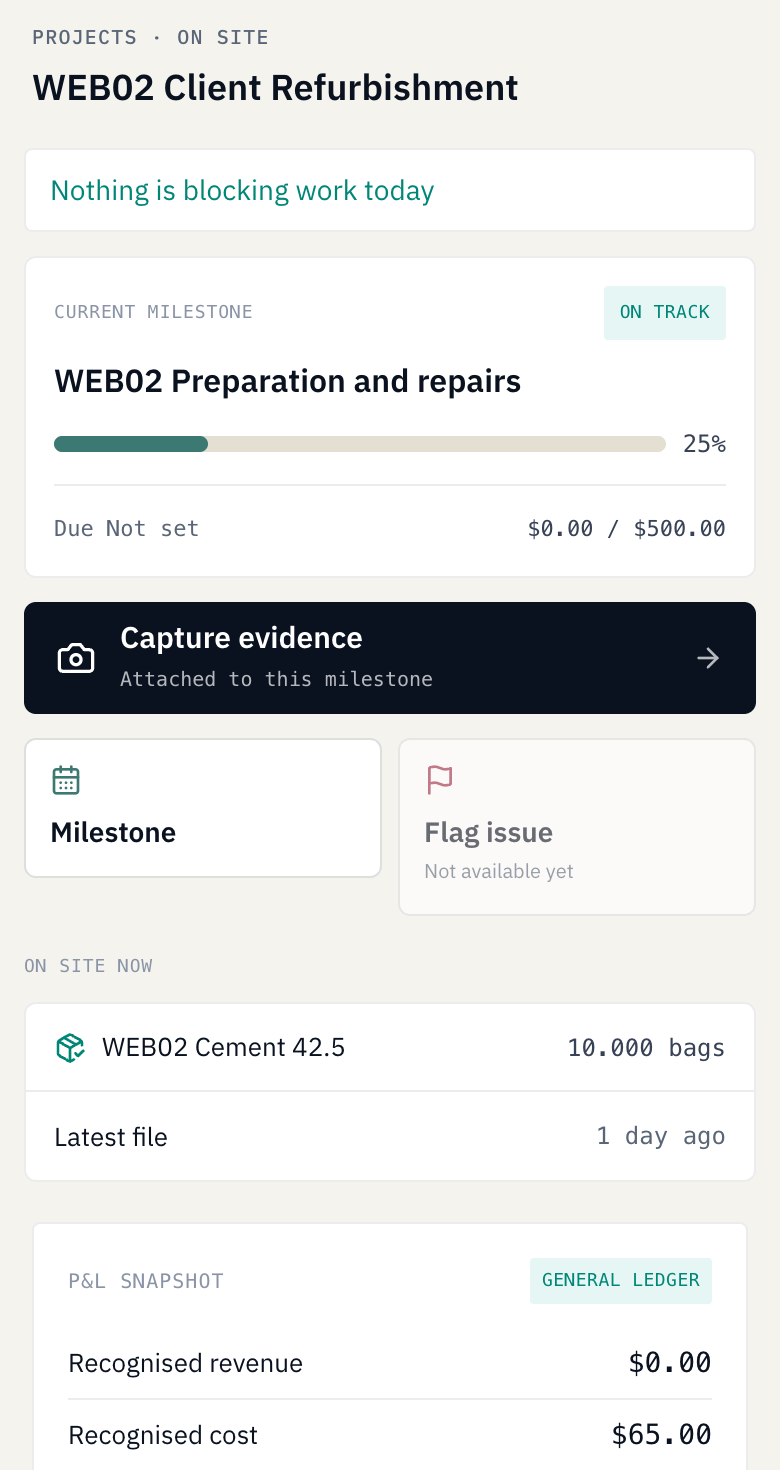
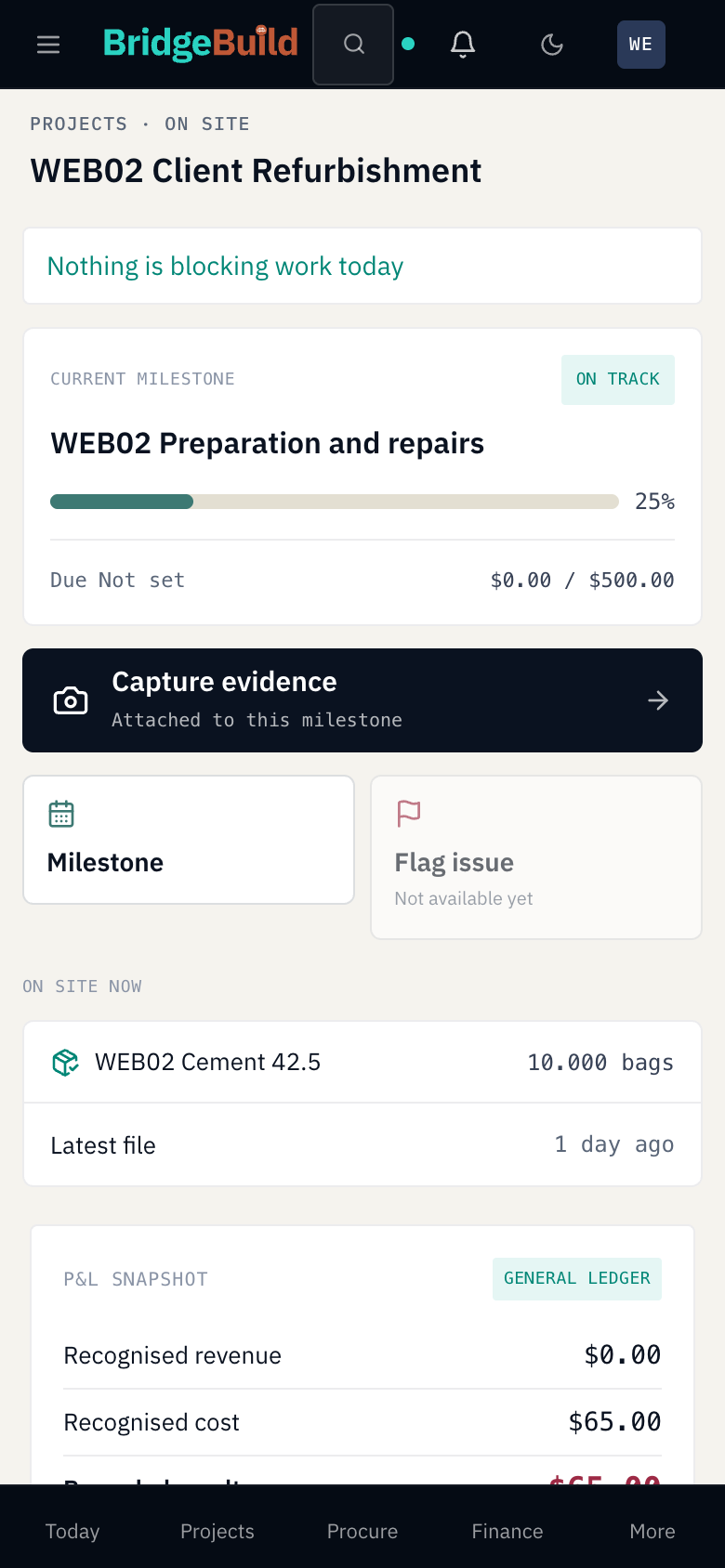
Client refurbishment mobile web view shows the accepted recorded job state.Enlarge view
Client refurbishment. Mobile web / product detail · iPhone-style frame. View the uncropped mobile web capture.

This client job shows a separately entered 25% milestone and $65 project cost. Its milestone cost field is $0. Progress is reported by the team, not calculated from spending or independently verified.
Has the supplier delivered everything?

Record deliveries against the purchase order, including orders that arrive in parts. See what has been received and what is still due before following up with the supplier.

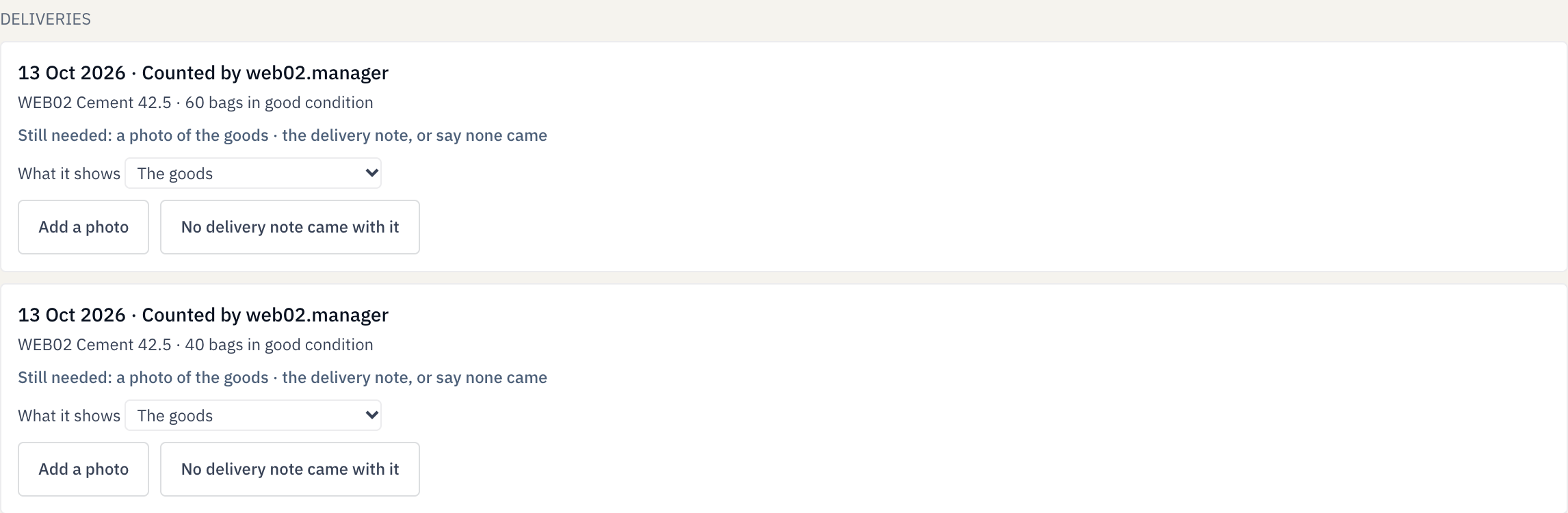
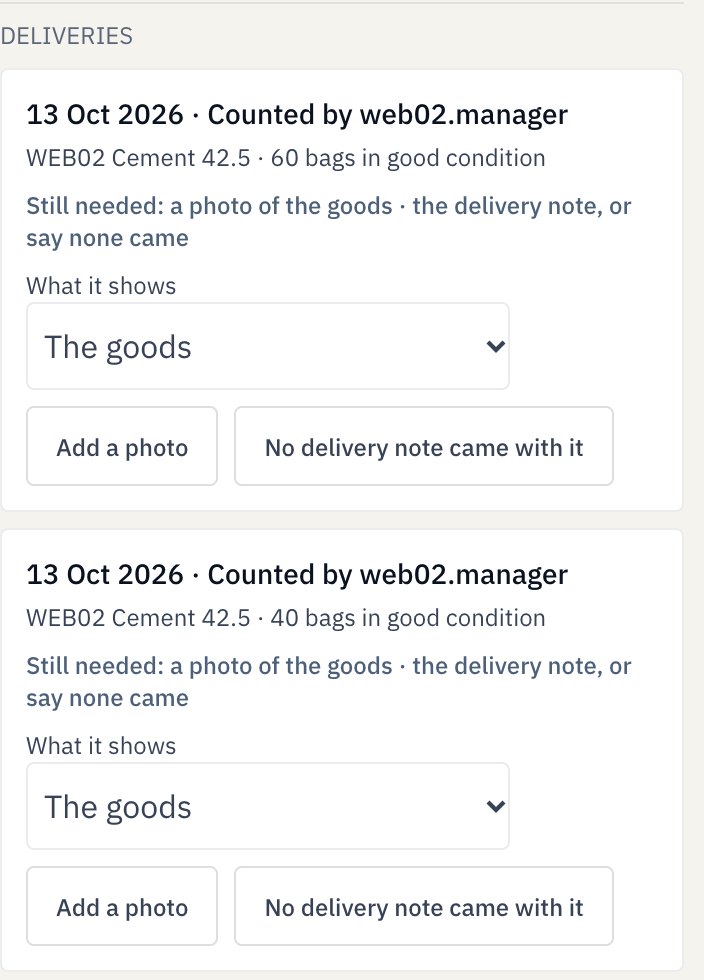
Saved order delivery history lists 60 and 40 bags received, and shows the missing photo and delivery-note prompts.Enlarge view Saved order delivery history lists 60 and 40 bags received, and shows the missing photo and delivery-note prompts.Enlarge view
Order 1 · Saved delivery history · Responsive web.

This demonstration received 60 bags, then 40. Its delivery photos and notes are missing; the screen shows saved quantities, not proof of delivery.

What is still in stock, and where did the rest go?

Follow materials into the warehouse and out to each project. Review the quantities received, issued and remaining, with a record of the movements behind the balance.

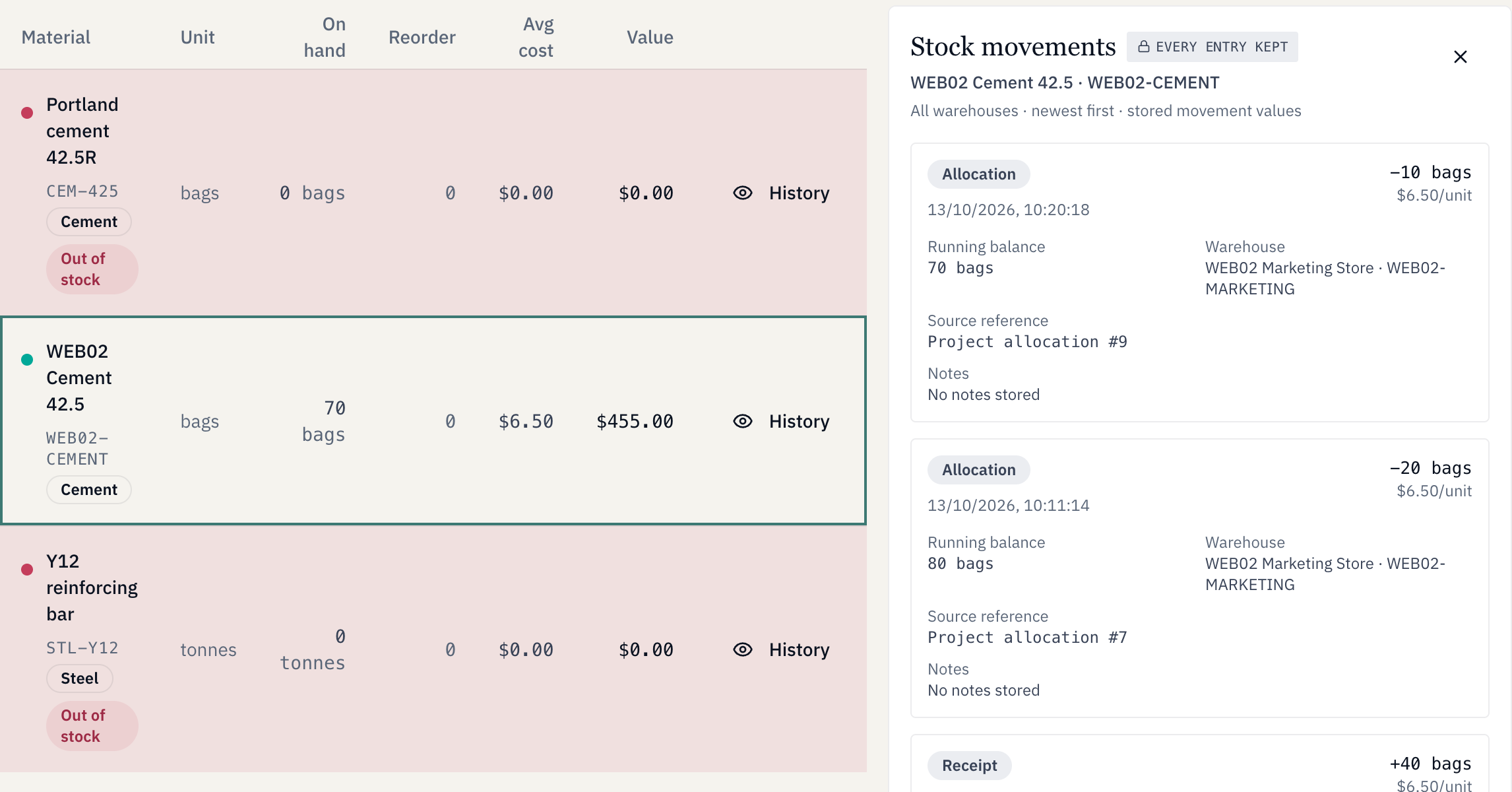
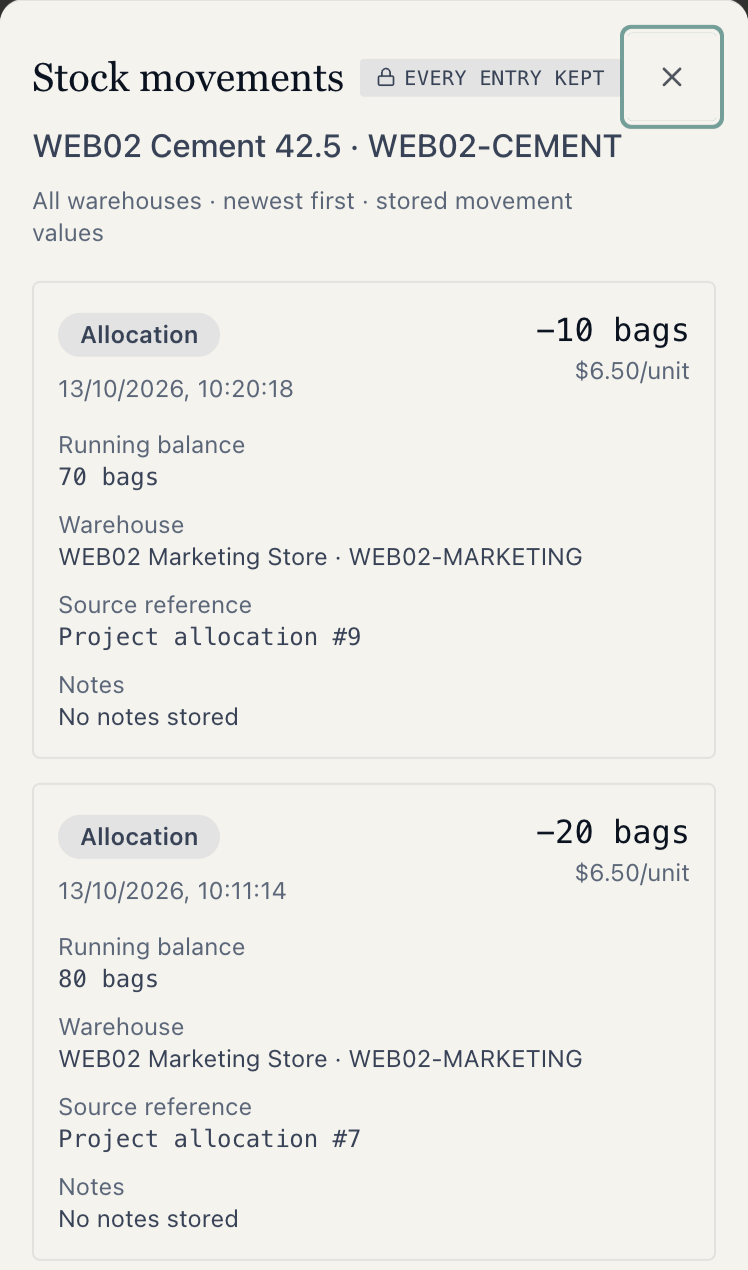
WEB02 Cement stock and its movement history show 70 bags remaining and separate allocations to projects 9 and 7.Enlarge view WEB02 Cement stock and its movement history show 70 bags remaining and separate allocations to projects 9 and 7.Enlarge view
Same material and warehouse · Current stock after both issues · Responsive web.

After issues of 20 and 10 bags, 70 remain. The running balances show different recorded times; receiving stock does not record a cash payment.

What has this project cost so far?

Review project costs and the entries behind them. Follow the value of materials issued to a project while keeping project cost separate from cash paid.

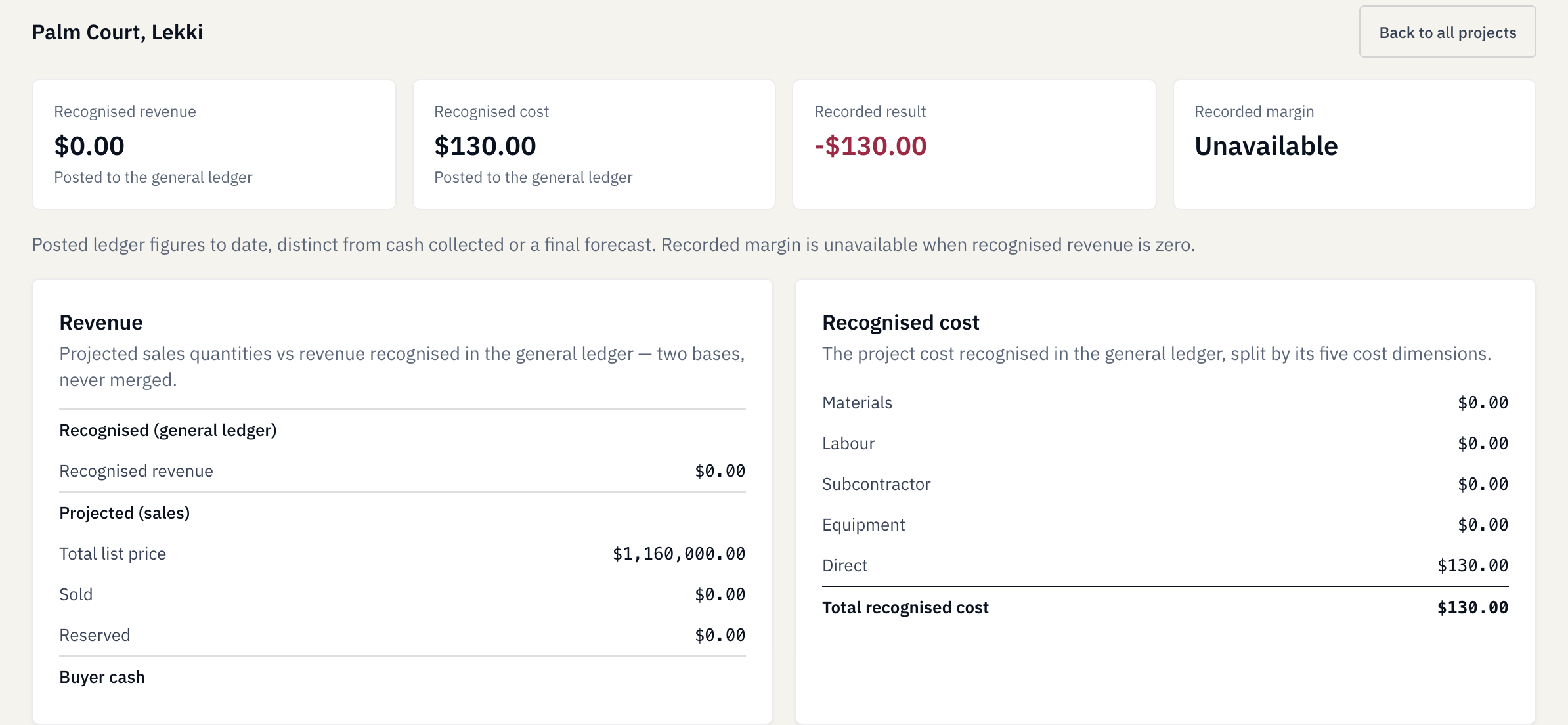
Palm Court financial detail shows 130 dollars recognised cost, no recognised revenue and unavailable margin.Enlarge view
Palm Court, Lekki · Project 7 · Financial Detail.

The 20-bag issue records $130 of project cost. No cash payment was recorded in this example; zero recognised revenue does not give a meaningful margin or forecast of final loss.

One order, connected records

From delivery to project cost.

See how the records connect, from the first delivery to the materials used on a project.

An order for 100 bags arrives in two deliveries: 60 bags first, then 40. The first receipt leaves 40 outstanding; the second completes the order.

Next, 20 bags are issued to one project and 10 to another, leaving 70 in stock. The project cost records show the value assigned to those issues.

Follow the sequence to see how deliveries, stock and project costs answer different questions about the same work.

Explore the materials-to-cost tour

Demonstration workspace with fictional records, not customer results. This example records material movements and costs; it does not demonstrate a cash payment.

Your company’s property website

Give property buyers the information they need to take the next step.

For developers selling their own properties, BridgeBuild also supports a company property website. Present the photographs, location, asking price and description together, with a way for visitors to enquire about the property they are viewing.

Give prospective buyers a page they can return to, rather than relying only on information sent through individual messages.

View the property website example (opens a new tab)
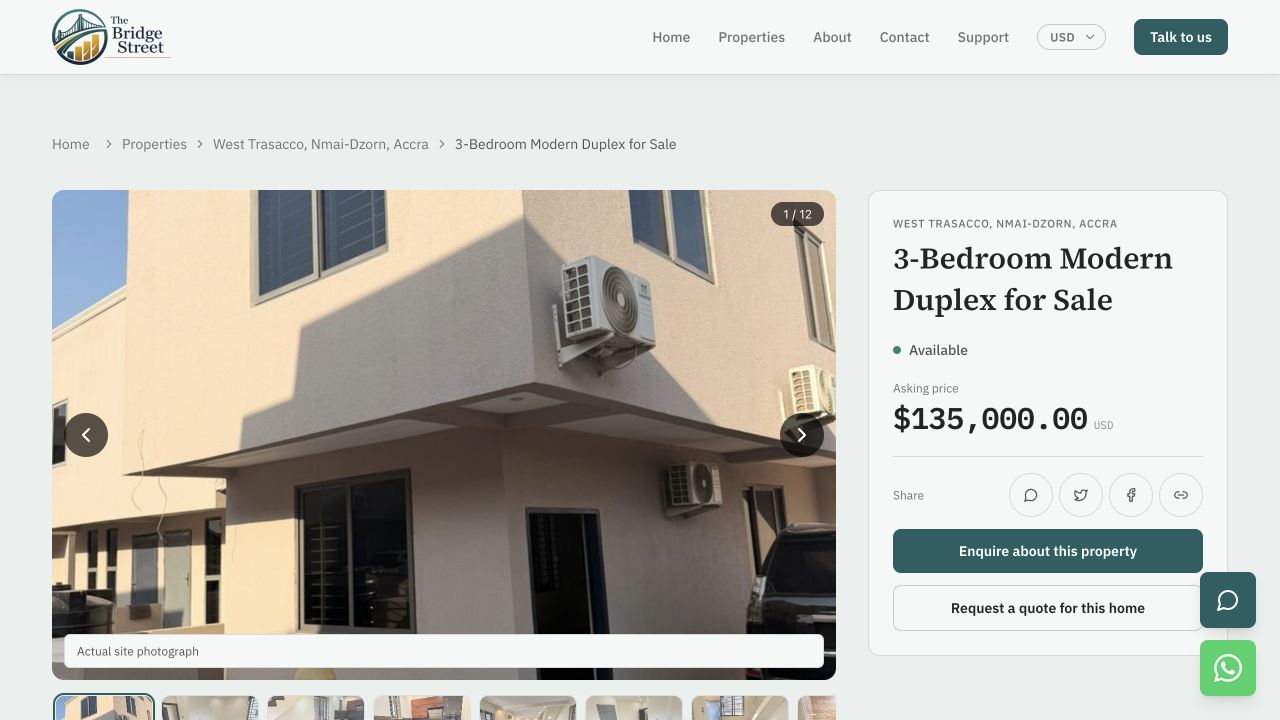
The Bridge Street property page presents a photograph, location, asking price and an enquiry button.Enlarge view
Public website example: The Bridge Street, captured 15 October 2026. Price and availability may change. An enquiry does not reserve a property or complete a sale.

Developers and contractors

For the way you build.

Developing your own properties

Keep the work behind your development organised: site updates, purchasing, material movements, project costs and property information.

Explore how it works

Building or renovating for clients

Keep records for each client job, including materials, costs and progress. You do not need to create properties for sale to track a construction or refurbishment job.

Explore BridgeBuild for contractors

We focus on construction and property teams in Africa. Whether your work is in Ghana, Nigeria or elsewhere, we assess your company’s operating requirements before agreeing the scope.

Invited staff, connected to the work

Connect your team from the office or an Android phone.

Access by invitation. Invited staff can use the BridgeBuild Android app to connect to their company’s workspace. Your company administrator provides the workspace details and account access; each person sees the projects and actions their role allows.

Plan to use an internet connection. Not every task or upload is available offline.

App setup and staff access

Before getting started

Questions you may have before changing how your team works.

Can BridgeBuild track an order that arrives in several deliveries?

Yes. Record each delivery against the same purchase order and review the remaining quantity. Your delivery history preserves the separate receipts rather than treating the first delivery as the whole order.

Explore materials and costs

Do we have to move all our existing records at once?

Start by discussing the project and records you need most. The BridgeBuild team reviews the information you have and confirms what preparation and setup are needed. Import options depend on the records and formats involved.

See pricing

Can we use BridgeBuild for client jobs without selling properties?

Yes. Contractor and refurbishment jobs can have their own material, cost and milestone records without units for sale. The project structure and access are agreed around the work your team needs to do.

Explore contractor work

Is project cost the same as the money we have paid?

No. A project cost records the value assigned to the work, while a payment records a cash movement. For example, materials can be issued from stock and assigned a project cost separately from when the supplier is paid.

Follow the materials-to-cost tour

Can we explore BridgeBuild before arranging a demo?

Yes. The product tour is open to view without submitting a request. Explore the example first, then ask about the parts that matter to your team.

Explore the product tour

Talk to the BridgeBuild team

Start with the problem you need to solve.

Tell us what is hardest to keep track of: project updates, supplier deliveries, stock, project costs or property enquiries. We can discuss the relevant steps and what your team would need to get started.

The free 30-day workspace trial includes one project, up to one optional property unit, five staff including the owner, three published listings on one company website and 1 GB of files. Your published website stays live until day 120 from the same trial start. Unpaid trial records and files are deleted at day 120. Starter is US$49 per company per month. Our team arranges access. A demo is optional; submitting a request does not start a trial or subscription.

hi@bridgebuild.appSee pricing

Enquiries are unavailable through this form right now. Email hi@bridgebuild.app to contact the BridgeBuild team.

Choose a demo, trial or paid-plan enquiry. Our team confirms the next steps; sending a request does not create an account, start a trial or activate billing.

Your enquiry details

Up to 1500 characters.

We use your details to respond to trial, demo, paid-plan and additional-capacity enquiries and record follow-up. Sending an enquiry does not create an account, start a trial, activate a subscription, change your plan or capacity, or subscribe you to a newsletter. Read our Privacy notice.

Product screen

Screen capture · Read the page caption for context. Open full-size image