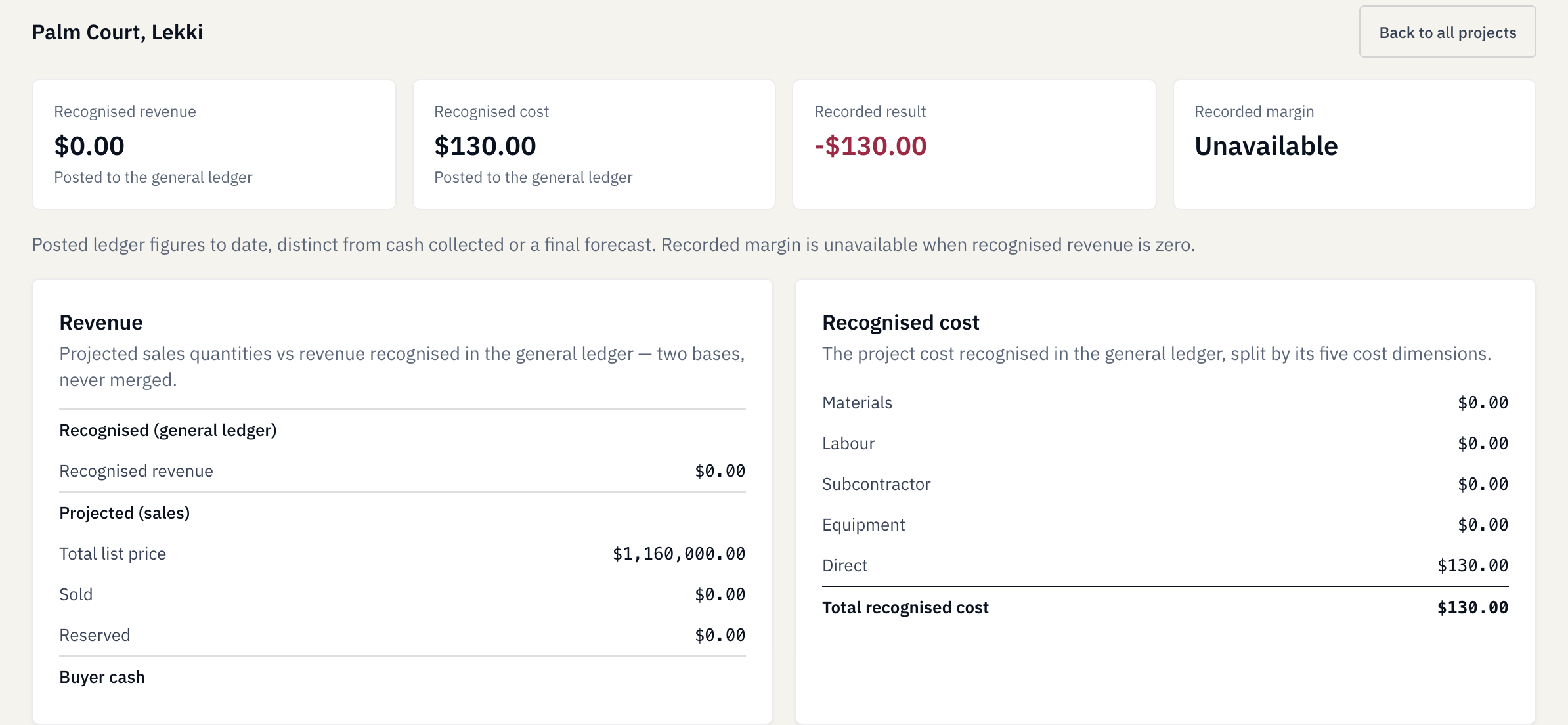
Developer project
Palm Court
20 bags
20 × 6.50 = USD 130
BridgeBuild · Product tour
For developer-builders and contractors: see how an order, two deliveries and project use connect to recorded cost.
These examples use fictional demonstration data. They are not customer results.
Request a demoOne order · Five steps
Follow the records in sequence. Each answers a different question about the work.
Compare material records and costsBegin with a purchase order for 100 bags of cement. The order identifies the material and quantity to receive.
This tour follows saved order history. It does not demonstrate a new order setup or approval process.
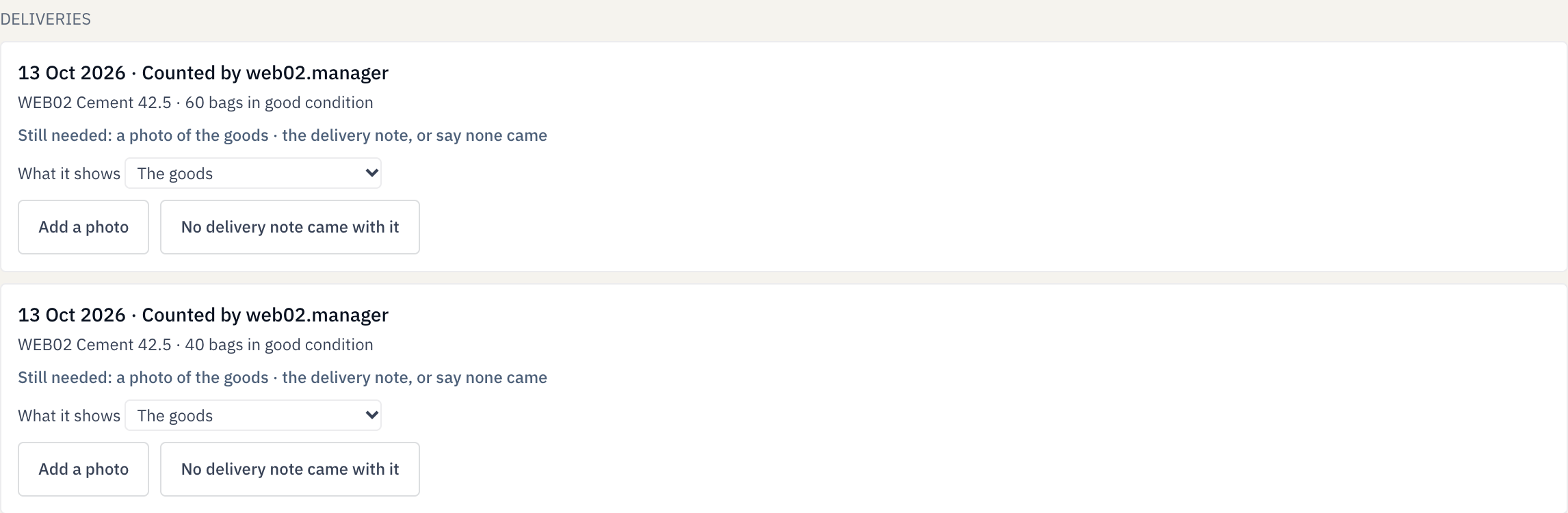
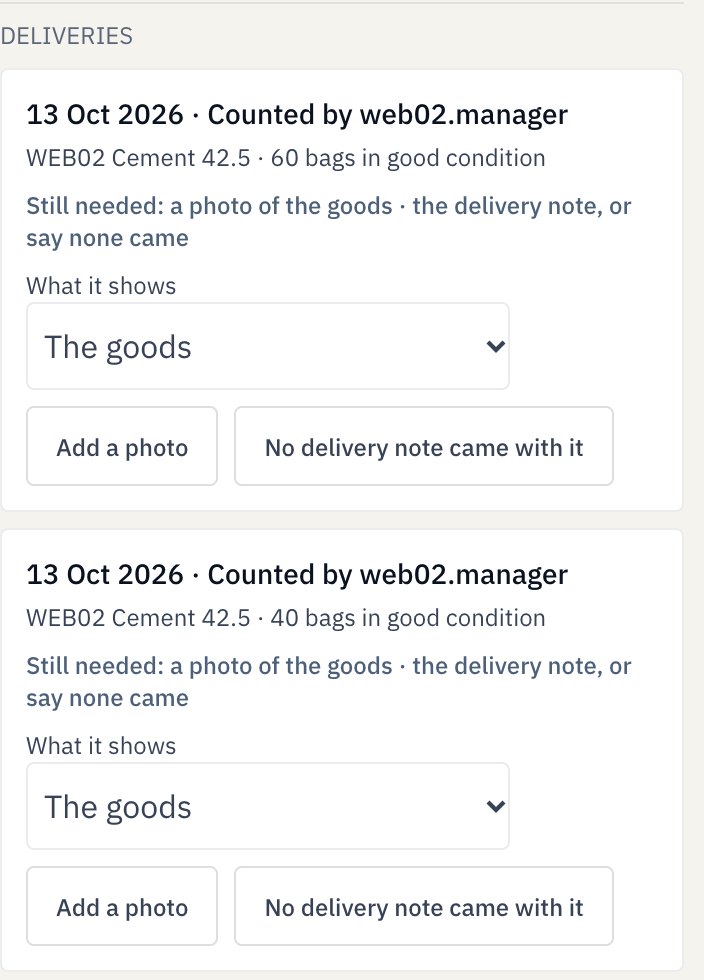
A manager recorded 60 bags, then 40 bags. After the first delivery, 40 remained outstanding. After the second, the saved order shows 100 received and 0 remaining.
No delivery photos or delivery-note attachments were supplied in this example. The screenshot’s missing-file prompts remain visible.
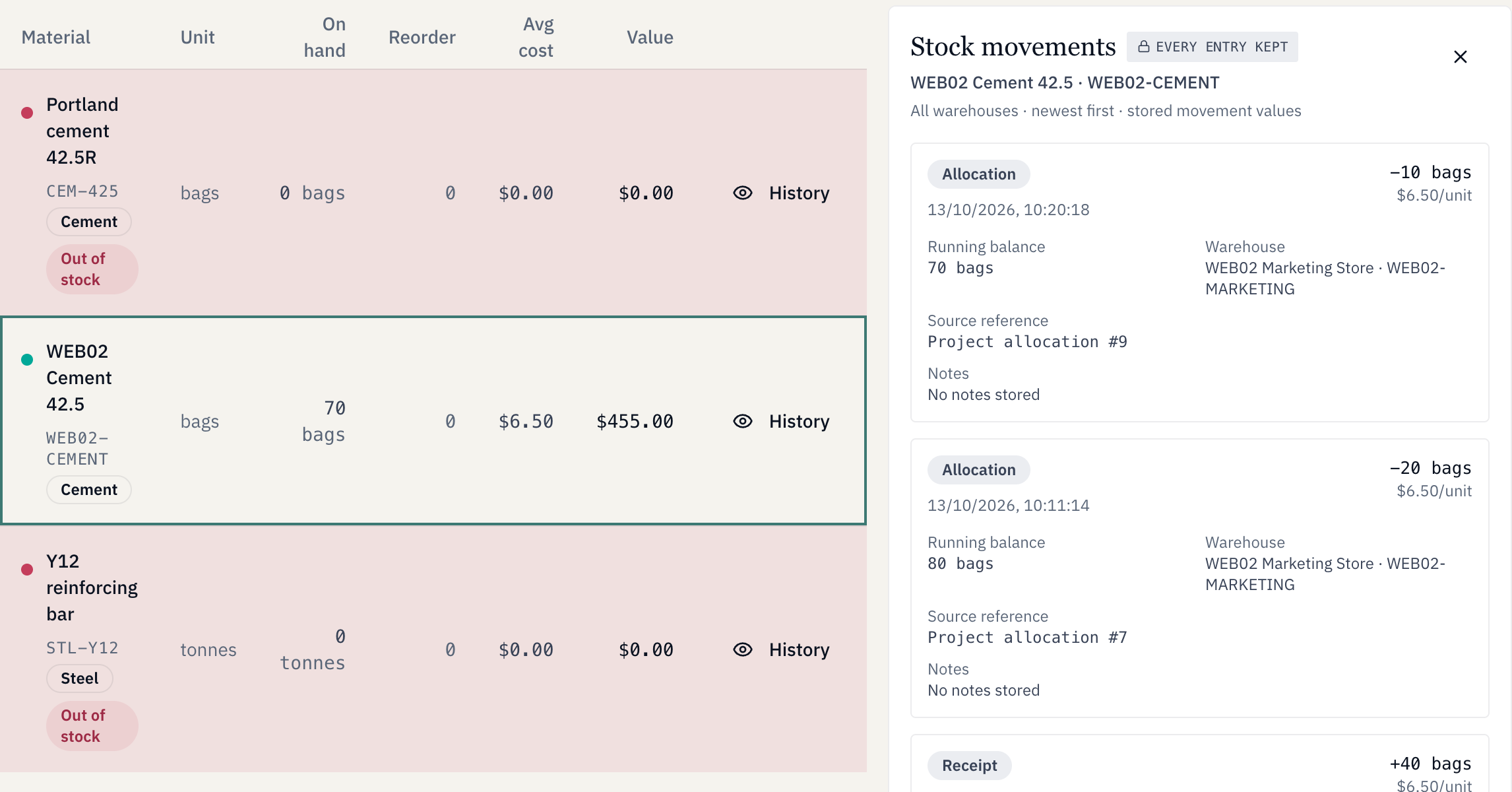
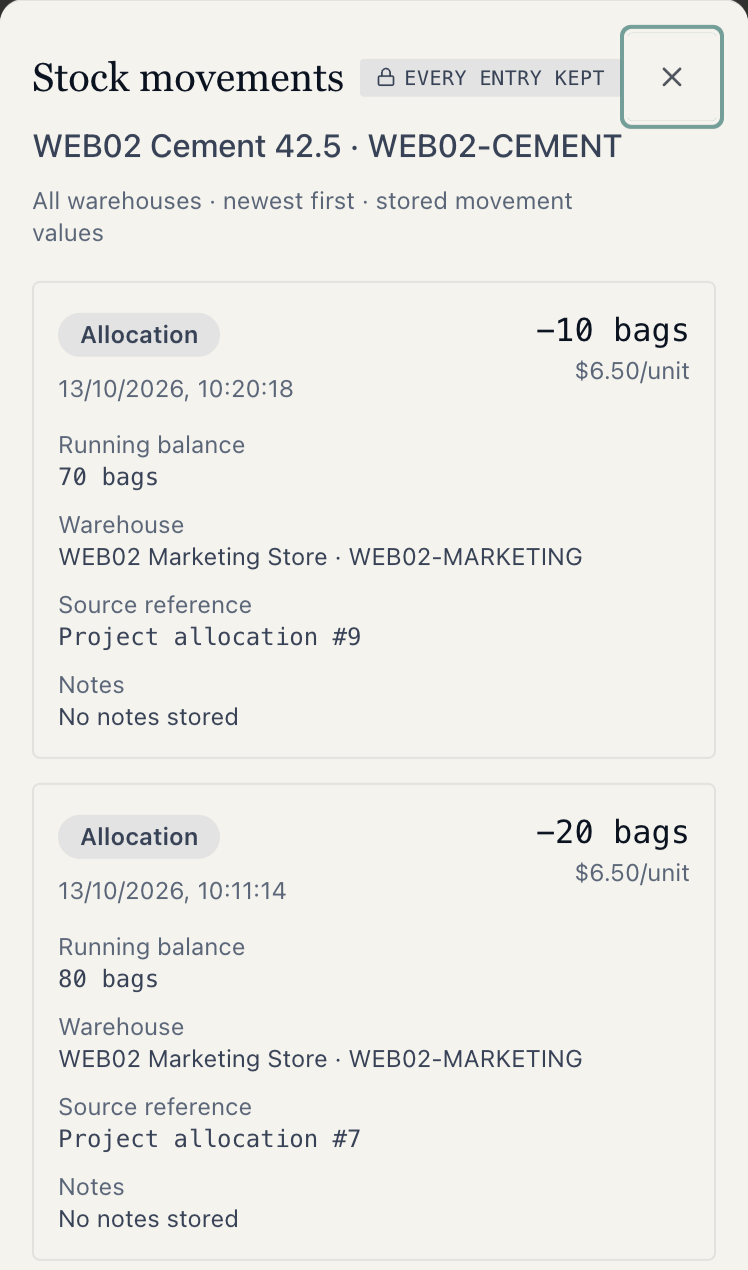
The two receipts supplied 100 bags at a recorded cost of USD 6.50 per bag: USD 650 before any issues. A permitted administrator can review the receipt and outgoing allocation movements.
USD 650 is the intermediate value before project use; USD 455 is the final stock value shown here. These are recorded inventory values, not cash balances.
A permitted administrator used the ordinary allocation screen to issue the material to two projects. The setup included a valid default warehouse.
A manager performed the receipts; this demonstration used an administrator for allocation. It does not establish manager access to every step. USD 6.50 is an example cost basis, not a universal rate or product price.
Developer project
20 bags
20 × 6.50 = USD 130
Contractor project
10 bags
10 × 6.50 = USD 65
Two project allocations, valued from the same stock record.
The approved stock-relief expense entries record USD 130 for Palm Court and USD 65 for the client job. They use the values of the materials issued: 20 × 6.50 and 10 × 6.50.
No payment took place in this materials demonstration. Recorded cost is not a cash payment, a complete construction budget, a forecast or proof of physical progress.
 Enlarge view
For contractors
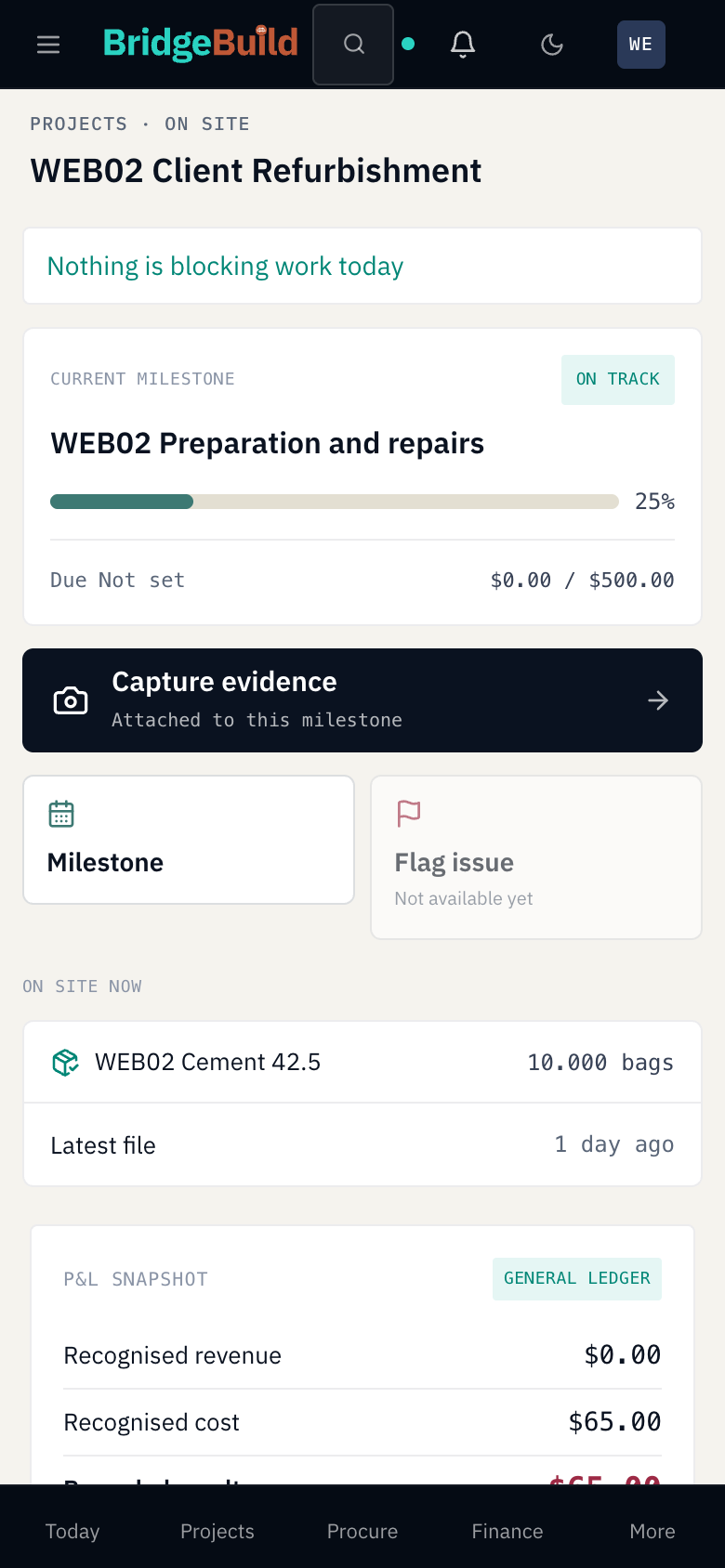
A tracked refurbishment or client project can carry costs and milestone records without sales units or releases. This is the original Client Refurbishment example from the material sequence.
The administrator’s 10-bag allocation records USD 65 against this client job. The milestone separately shows 25% entered completion, while its own actual-cost field remains USD 0.
That milestone field is different from the project’s USD 65 recorded cost. Posting expenses or completing work orders is not proof that the construction-progress bar advanced.
This tour illustrates independently entered progress in a saved record. It does not demonstrate automatic synchronization or independently certify work on site.
Request a demo for your client jobs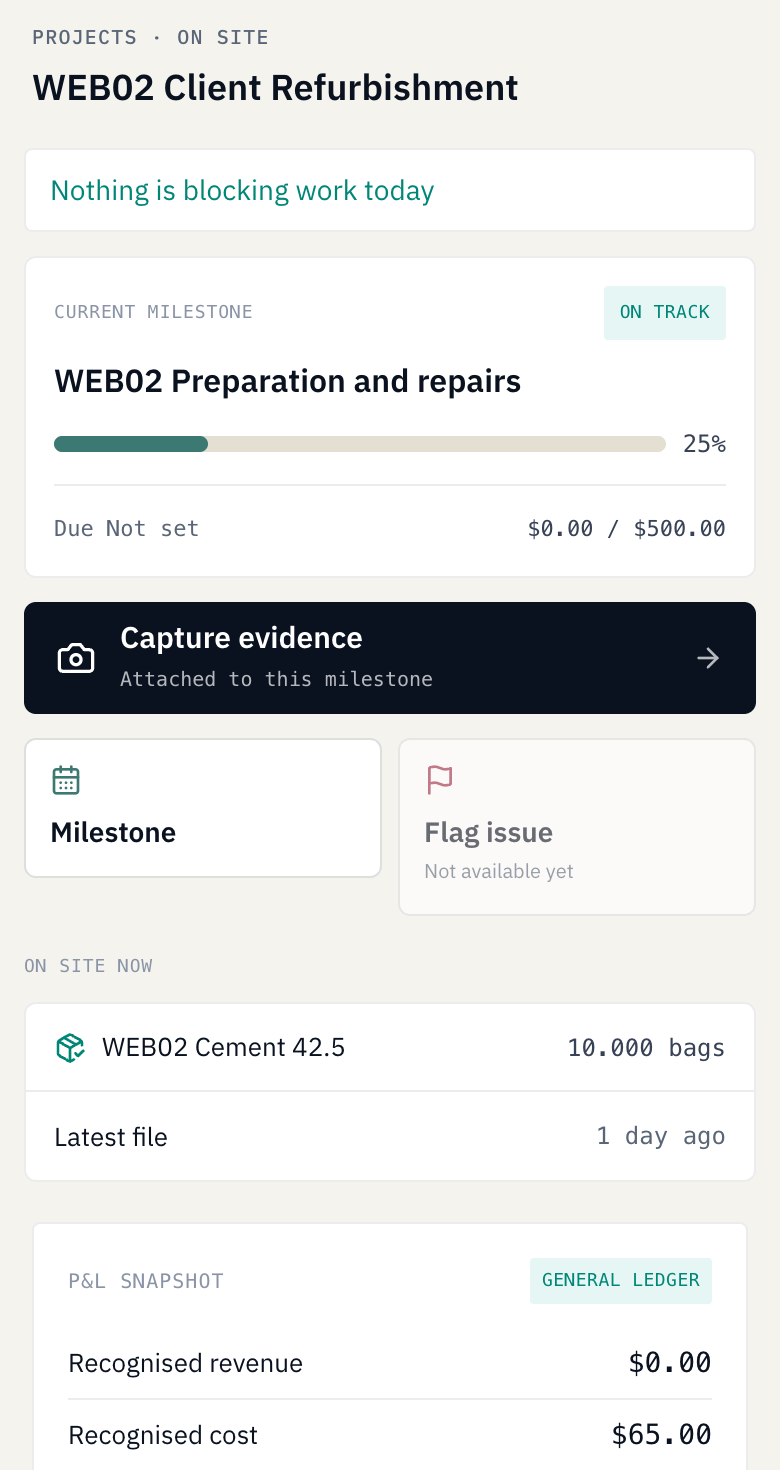 Enlarge view
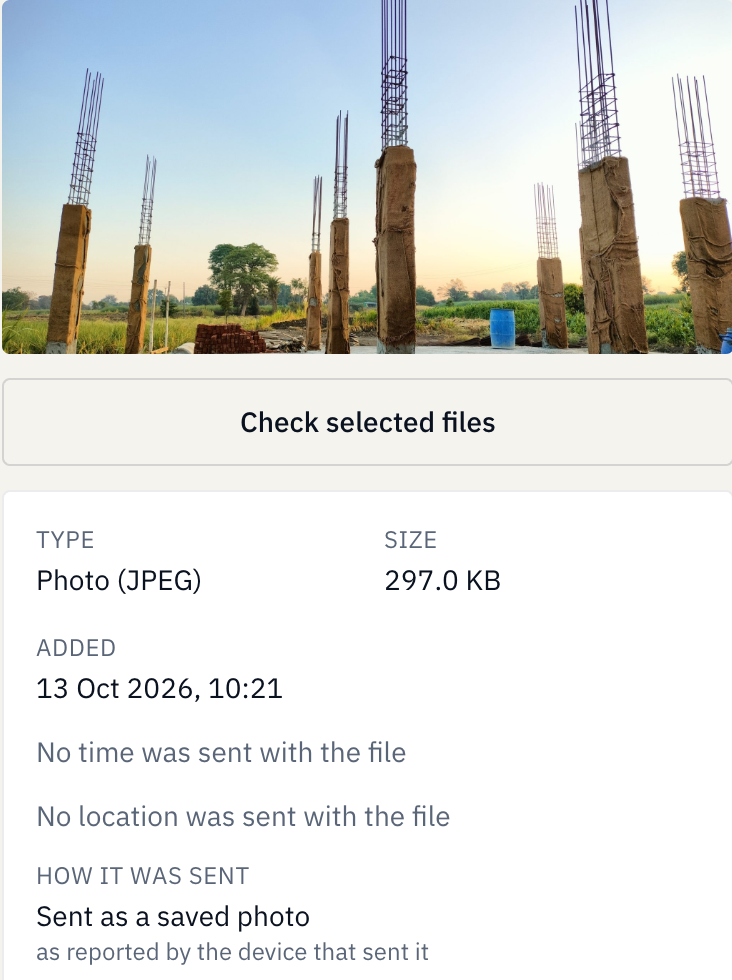
The saved milestone evidence includes an illustrative gallery upload. An administrator can inspect its file details alongside the job record.
The image contains no supplied capture time or location. Its presence does not prove where or when work happened, certify progress or prevent fraud.
The photograph is a gallery fixture, not a photograph of this fictional project. Its original source and licence are credited beside the image.
 Enlarge view
Before you take the next step
The quantity still due against the order. Here, a manager’s first receipt of 60 against 100 left 40. The later 40-bag receipt completed it: the saved order now shows 0 remaining.
When material is issued to the project and the corresponding stock-relief expense is approved. The demonstrated administrator allocations use the recorded stock cost basis. Receiving it into the warehouse alone does not record that project use.
The project cost records the value of material issued. A payment is a separate cash movement. The material chain shown here recorded project costs of USD 130 and USD 65 without a payment taking place.
No. The tracked Client Refurbishment job has costs, material allocations and a milestone without sales units or releases. The demonstration uses a permitted administrator and configured warehouse access.
Not independently. Cost, entered milestone completion and file evidence answer different questions. The client job’s 25% was separately entered; its gallery photo is illustrative. Neither proves actual site condition or automatic progress updates.
Start with your work
Try BridgeBuild free for 30 days with one project and one property unit within it, plus up to three property listings on one company website. Request a trial directly; our team confirms the arrangement and dates, arranges setup and invites you when it is ready. A demo is optional.
Opens our contact form with the trial selected.
Request a demo How onboarding startsFor wider or continued paid use, a tailored proposal sets out setup, data preparation, training, support, charges and limits. These are agreed separately from the free trial.
hi@bridgebuild.app